AC and cooling
From repairing an AC water leak to installing an AC and refilling refrigerant.
Inside the app Home & business maintenance platform · Riyadh first
Fix Rangers brings maintenance services into one app: browse categories, add what you need to your cart, pick the appointment that suits you, and add your address and notes, with clear steps from the very first screen.
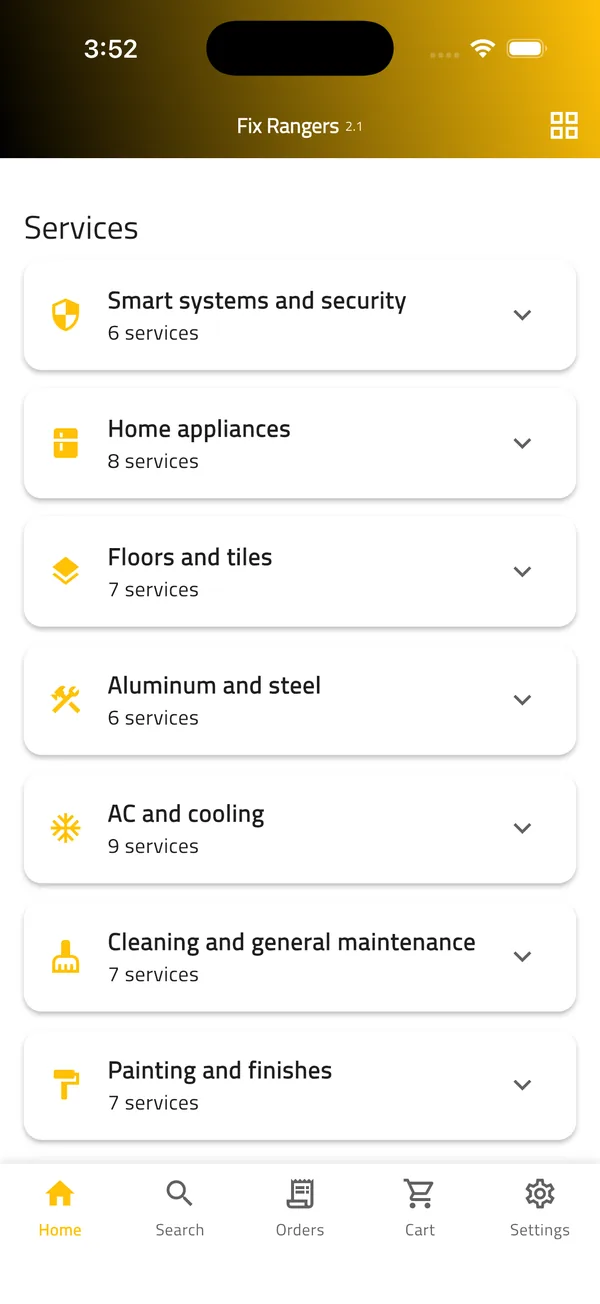
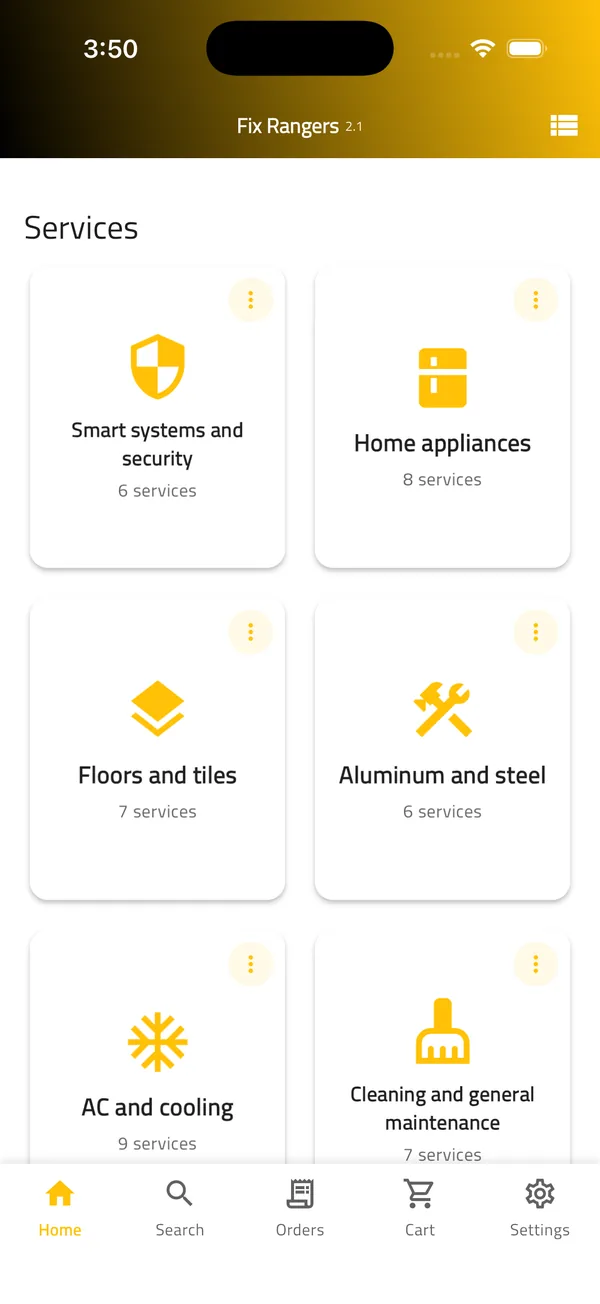
These are the main maintenance categories in the Fix Rangers app. Service details, estimated prices and expected duration are shown inside the app.
From repairing an AC water leak to installing an AC and refilling refrigerant.
Inside the appMixer, toilet and drain repairs, water heater installation, and water leak detection.
Inside the appBrowse the electrical services inside the app and choose what fits your need.
Inside the appSimple home repairs and general upkeep for your home or business.
Inside the appThe category list reflects the current version of the app. Categories and services may change as the app evolves.
Meet the six Fix Rangers in their signature colors, and pick any ranger to see their specialty.

The characters are brand illustrations. The services available when you book are shown inside the app.
These are real screenshots from the Fix Rangers app. Select any step to see its screen.
Step 1Home: maintenance categories
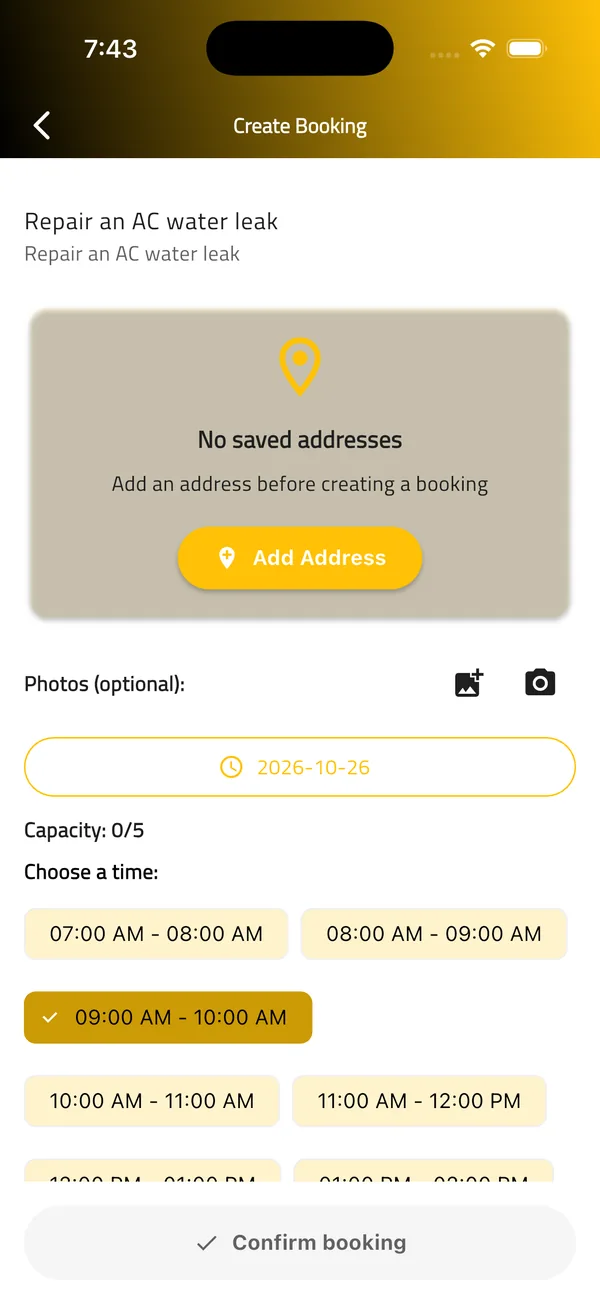
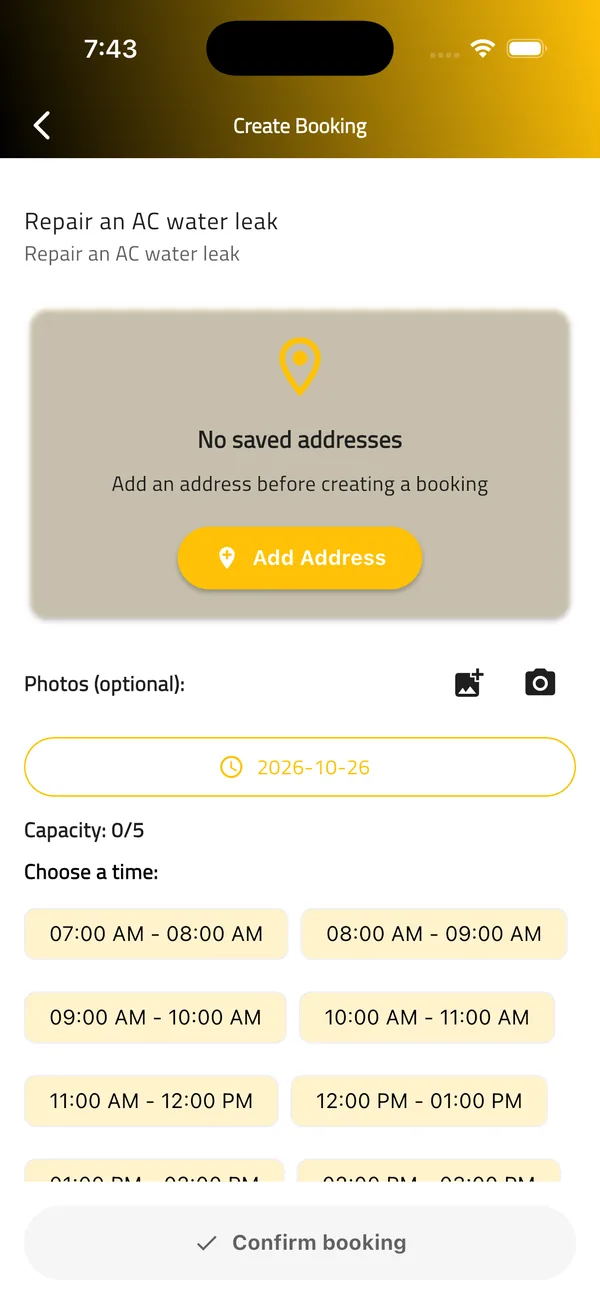
This walkthrough only illustrates the booking flow and does not submit any request. A booking cannot be confirmed before a service address is added.
A simple interface that takes you from browsing services to booking without friction. These are real screenshots from the English version of the app.
Switch the app language with one tap, and the interface direction follows.
Explore services as a guest. You need an account when you book.
Add more than one service to your cart, then continue to booking from the same screen.
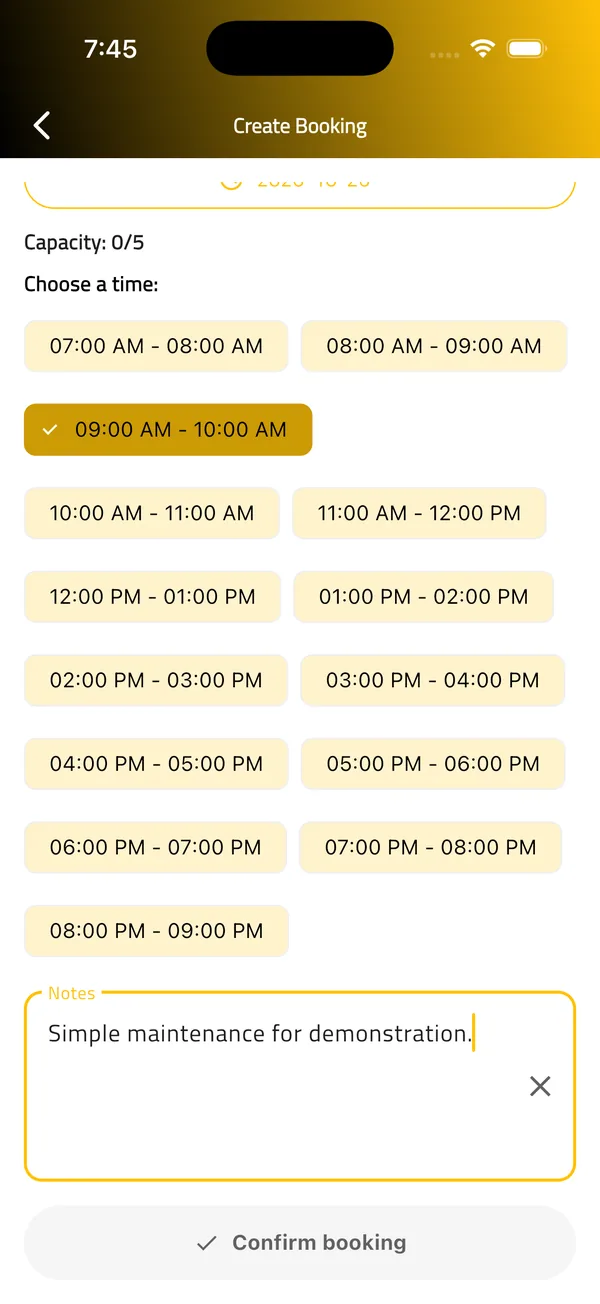
Attach what helps explain the job: your address, optional photos and notes.
We will add the official App Store and Google Play links as soon as the app is available on both stores.
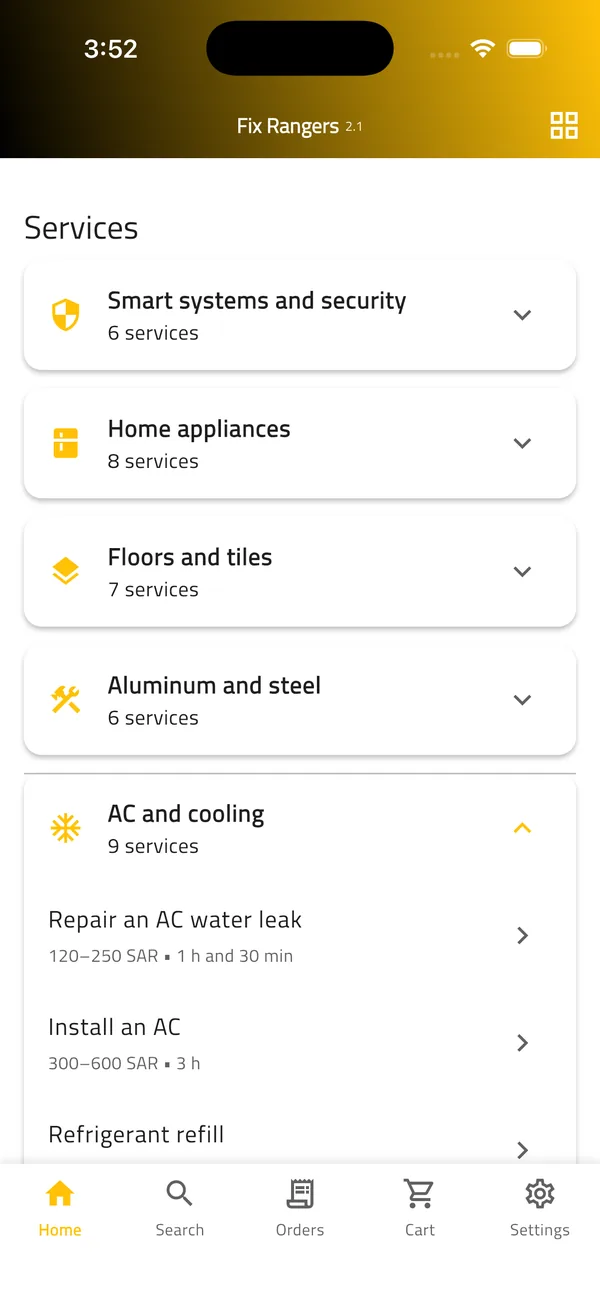
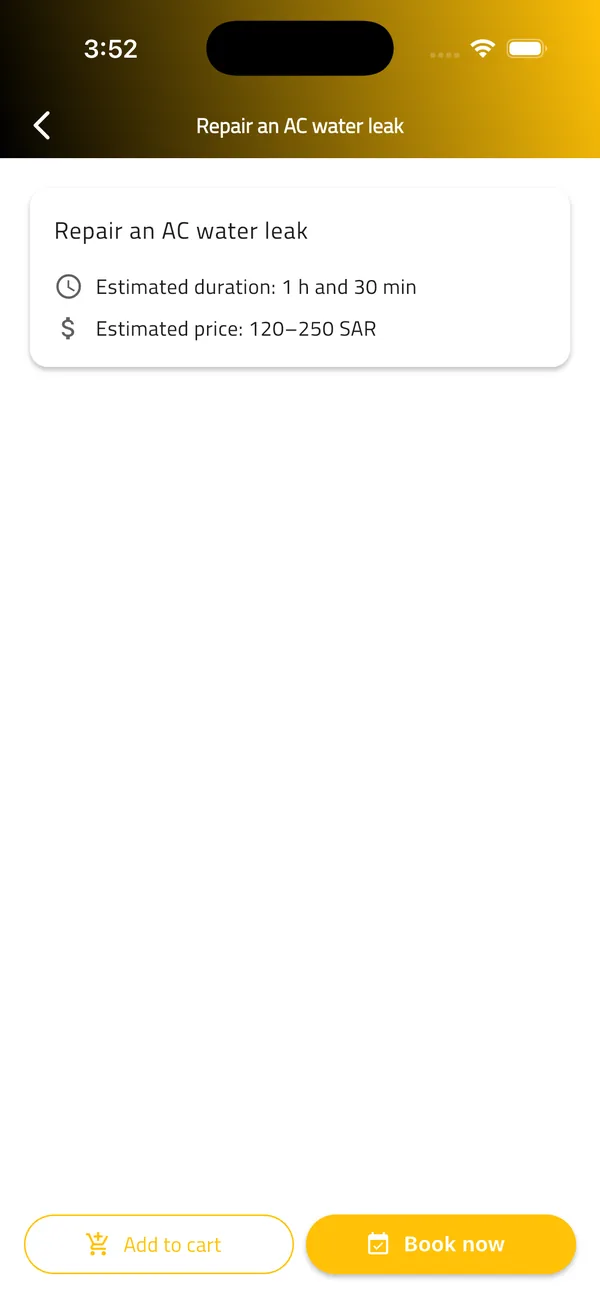
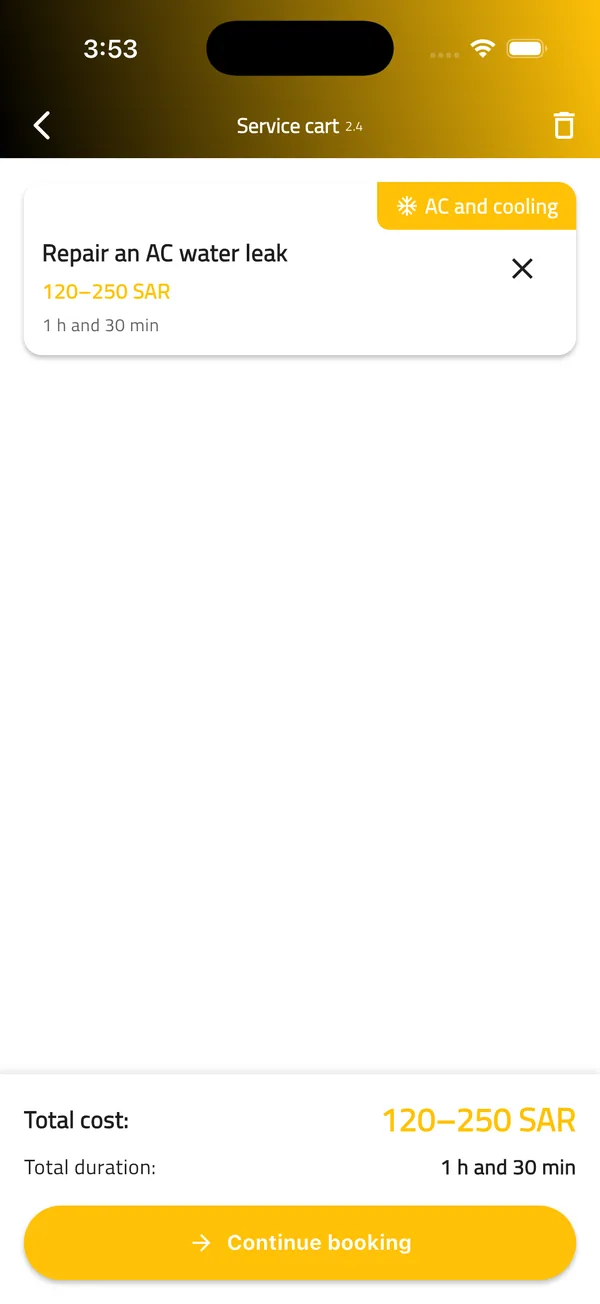
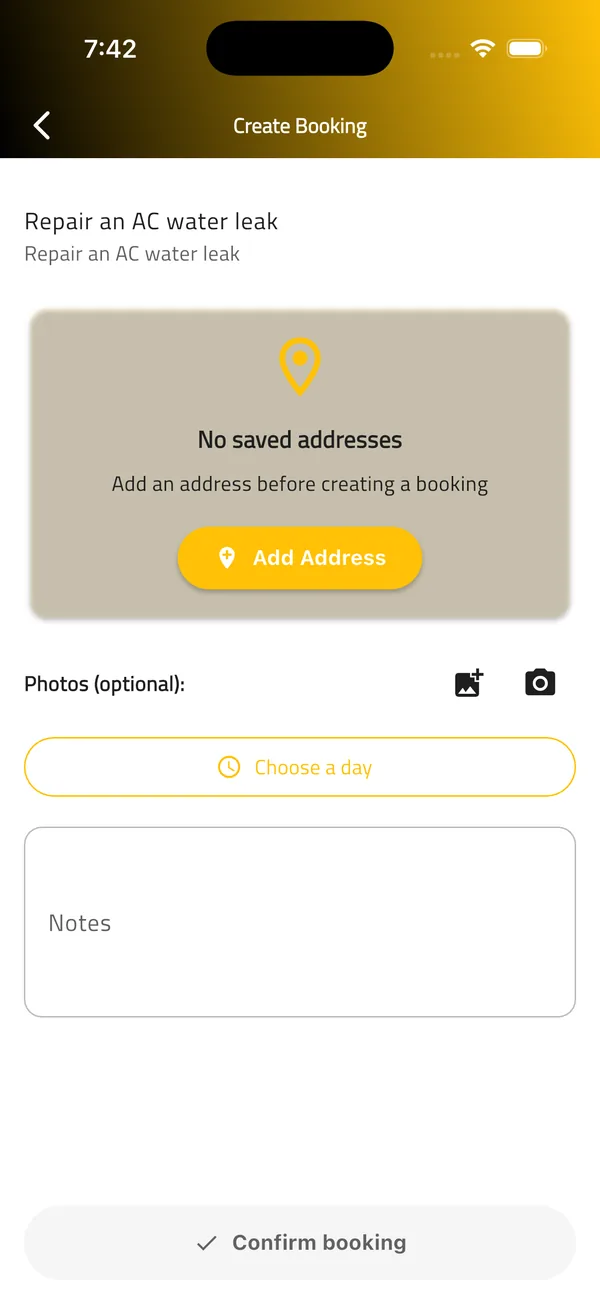
The app supports three roles: customer, technician and administrator. This website is mainly for customers.
There is no public technician registration at the moment. A dedicated page will explain the technician role.
Administrators manage services, customers, technicians, bookings and service information.
The experience is designed so you know what you are requesting, when and where, before you confirm anything.

 Maintenance services in one place
From AC and plumbing to floors and painting, move between them in a single app.
The estimated price and expected duration appear with each service, and the cart shows your overall estimate.
Choose the day, then pick a time from the available options only.
Your address, notes and optional photos accompany your request to explain the job.
A Saudi home and business maintenance platform, starting in Riyadh. It connects customers with maintenance technicians and provides a digital workflow for requesting, scheduling and managing services.
We are starting in Riyadh. We will announce any other cities once they are confirmed.
The app includes AC and cooling, plumbing, electrical, cleaning and general maintenance, floors and tiles, painting and finishes, and more. Each service's details appear inside the app.
You can browse services as a guest, but booking requires signing in with an account.
The prices shown in the app are estimates, shown with the expected duration of the service. We do not list fixed prices on this website.
After adding a service to your cart, choose a day, then pick a time from the available slots. Full slots are not shown.
A saved service address is required first. Until you add one, the Confirm booking button stays inactive.
No, this website is informational. Booking happens inside the Fix Rangers app, and the official download links will appear here as soon as they are available.
The contact form is designed and ready. It will be activated once the official contact channels are confirmed.
Get to know the categories and see the booking steps with real screenshots from the app.